Robpod Studio 1.3.4: PolyscopeX Support, UR18, and ChatGPT for Your Cobot
Three big updates just landed in Robpod Studio. Here’s everything you need to know.
Robpod Studio 1.3.4 is out, and this release isn’t just bug fixes and minor tweaks — it’s a proper step forward. We’re talking full Universal Robots PolyscopeX support, a brand new robot model in simulation with the UR18, and a ChatGPT integration for Robpod AI CoWorker that makes your cobot feel like it actually understands you.
Let’s break it down.
1. UR PolyscopeX Is Now Supported — and Your HMI Fits Right In
What Is PolyscopeX?
If you’ve been keeping an eye on the Universal Robots ecosystem, you already know PolyscopeX is a big deal. It’s UR’s next-generation robot operating software — a ground-up redesign of the classic Polyscope 5 interface that has powered cobots for years.
Where Polyscope 5 was built around a traditional, menu-driven experience, PolyscopeX is a modern, browser-based platform focused on usability and progressive disclosure. The idea: show operators exactly what they need, when they need it — nothing more, nothing less. It reduces cognitive load, flattens the learning curve, and makes it possible for non-programmers to manage complex robot cells with confidence.
One of PolyscopeX’s most powerful features is the Operator Screen — a dedicated, customizable interface designed to separate the operator’s day-to-day interaction from the underlying program logic. Instead of exposing every setting and parameter to the person running the cell, the Operator Screen gives them a clean, task-focused view: the controls and information relevant to their job, not the developer’s.
This is exactly where Robpod comes in.
HMI Designer + PolyscopeX Operator Screen = a Perfect Match
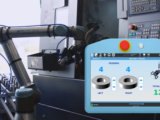
With Robpod Studio 1.3.4, custom HMI panels built with Robpod’s HMI Designer are now displayed directly inside the PolyscopeX Operator Screen, fully integrated into the teach pendant.
Think about what that means in practice:
- Your operator never has to leave the teach pendant to interact with a custom interface.
- The HMI you design in Robpod Studio becomes a native part of the PolyscopeX experience.
- No external monitors, no secondary PLCs, no weird workarounds — just a clean, integrated UI living exactly where the operator expects it.
Robpod HMI Designer lets you build these custom panels with a drag-and-drop editor — no frontend coding required. You can add buttons, sliders, status displays, charts, input fields, and more, then link them directly to robot variables and URScript functions. The whole design lives inside Robpod Studio, and it deploys to the teach pendant in seconds.
With PolyscopeX, this integration becomes even smoother. The Operator Screen was designed to host exactly this kind of custom experience. Robpod’s HMI panels slot into it natively, giving end users a polished, professional interface that feels like it was built into the robot from day one.
For developers, this means you can build a fully customized operator experience without leaving your usual workflow. Design the HMI in Robpod Studio, link it to your URScript logic, sync it to the robot, and it appears right there in the Operator Screen on the pendant.
For operators, it means everything they need is in one place — on the device they’re already holding. No context-switching, no learning new tools. Just a clean interface that does the job.
2. UR18 Support — Simulate the Newest Heavy-Duty Cobot Before You Touch It
Universal Robots recently launched the UR18, the latest addition to the UR Series. The specs are impressive: 18 kg payload, 950 mm reach, speeds up to 4 m/s, and a body that weighs just 39 kg — which means you can mount it on most standard gantry systems without expensive infrastructure changes. It also comes equipped with a built-in force/torque sensor and UR’s advanced motion control stack (OptiMove + MotionPlus). It’s designed for high-throughput pick-and-place, assembly, and material handling in demanding environments like logistics, automotive, and food and beverage.
In short: it’s fast, strong, smart, and easy to deploy. Exactly the kind of robot that needs solid software tooling around it.
Simulate It in Robpod Studio Before Day One
Starting with version 1.3.4, Robpod Studio’s integrated simulation environment fully supports the UR18 model.
This is a bigger deal than it might sound. Robpod Studio’s simulation capabilities let you:
- Write and test URScript code completely offline — no robot required.
- Visualize robot motion in 3D using the integrated simulator viewer, so you can catch reach issues, joint limits, or path problems before they become real-world headaches.
- Develop full programs off-site and deploy them to the physical robot the moment it arrives, using Robpod’s one-click synchronization.
- Iterate fast on complex motion logic without tying up production equipment.
For integrators and developers working with the UR18, this means you can start building your application the day you place the order — not the day the robot is installed. By the time the UR18 arrives on the factory floor, your code is already tested and ready to go.
Combined with Robpod Studio’s live code auto-completion, AI-assisted scripting, and direct file transfer to the robot, the simulation environment is one of the most practical parts of the platform. You write, simulate, fix, and deploy — all from one IDE.
3. Robpod AI CoWorker Now Works with ChatGPT — Talk to Your Robot Like a Colleague
How CoWorker Works
Robpod AI CoWorker turns your collaborative robot into an AI agent. The idea is straightforward: instead of programming every action manually, you describe what you want to happen — and the robot does it.
CoWorker acts as a bridge between your AI assistant and the physical robot. Out of the box, it comes with a set of default actions: save positions, move the robot to waypoints, retrieve diagnostic data. Useful stuff. But the real power is in how it extends.
Using Robpod Studio, you can build custom CoWorker Projects — robot programs that define exactly which actions the AI assistant can trigger, and what those actions do. Custom actions are written as standard robot functions using the same language you already use (URScript, Polyscope, etc.), which means there’s no new paradigm to learn. You write the function; Robpod handles the translation into something the AI can call.
CoWorker is built on the MCP protocol (Model Context Protocol), which means it’s compatible with any AI assistant that supports it — not locked into a single vendor.
ChatGPT Integration Is Now Live
In version 1.3.4, Robpod AI CoWorker officially supports ChatGPT as an AI assistant backend.
This means you can now open a ChatGPT conversation and quite literally tell your UR robot what to do. Send it to a position, start a routine, ask for a status report — all through natural language. ChatGPT handles the understanding; CoWorker handles the execution; the robot handles the physics.
But it goes deeper than that. With Robpod Studio, you can design the entire AI experience around your specific application. Want the AI to only expose certain actions to the operator? Build a CoWorker Project that defines exactly that. Want the robot to send back structured status messages that the AI can interpret and explain? Implement a return message in your robot function — Robpod handles the loop.
This is the part that makes CoWorker genuinely interesting: it’s not just a chatbot wrapper on a robot. It’s a framework for building custom AI-powered robotics applications, where you define the vocabulary of what the AI can do, and Robpod Studio is your workbench.
The result is a collaborative robot that adapts to the way your team thinks and communicates — not the other way around.
What’s in 1.3.4 — Summary
| Feature | What It Means |
|---|---|
| UR PolyscopeX support | Custom HMIs run natively inside the PolyscopeX Operator Screen on the teach pendant |
| UR18 simulation support | Develop and test UR18 programs fully offline before hardware arrives |
| ChatGPT for AI CoWorker | Control your robot through natural language; build custom AI projects with Studio |
Get Started
Robpod Studio 1.3.4 is available now. If you’re already on an earlier version, update through the usual channel. If you’re new here, there’s a 15-day free trial with access to all features — no credit card required.
Download Robpod Studio →
Read the docs →
Follow us on LinkedIn for updates, tutorials, and application showcases.
Robpod Studio is a UR-certified development platform built by roboticists, for roboticists. Established in 2023, Robpod is based in Italy and focused on making collaborative robotics software faster, smarter, and easier to deploy.